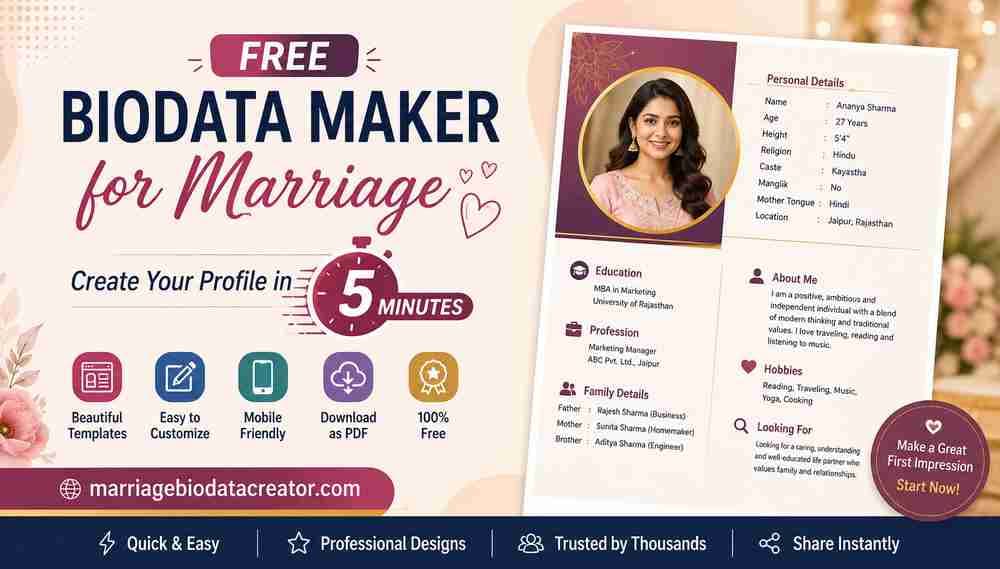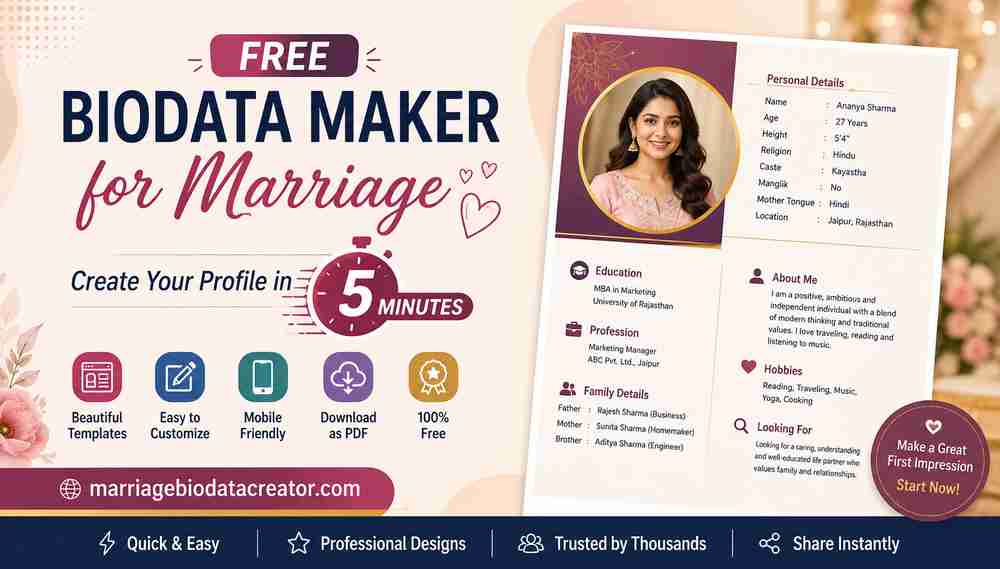
Creating a marriage biodata becomes much easier when you have an editable template that you can customize according to your personal and family requirements. A marriage biodata Word format allows you to add, remove and update information without creating the entire document from scratch.
If you are looking for a marriage biodata Word format free download, editable templates can help you create a professional matrimonial profile quickly. You can customize details such as your name, education, profession, family background, hobbies, photograph and partner preferences.
Whether you need a marriage biodata format in Word for boys, a biodata format for girls, a simple marriage biodata template or a traditional Indian biodata format, an editable Word template gives you the flexibility to create a profile that suits your requirements.
What Is a Marriage Biodata Word Format?
A marriage biodata Word format is an editable document designed specifically for matrimonial purposes. It provides an organized structure where you can enter your personal, educational, professional and family information.
Unlike a fixed image or PDF template, a Word document can be easily edited using Microsoft Word or other compatible word-processing applications.
A typical marriage biodata Word format may include:
- Personal details
- Date of birth
- Age
- Height
- Education
- Profession
- Family background
- Religion and community
- Hobbies
- Lifestyle
- Horoscope details
- About Me
- Partner expectations
- Contact details
- Photograph
The sections can be changed depending on the information you want to share.
Why Use an Editable Marriage Biodata Format in Word?
A Word format is useful because you can make changes whenever necessary.
Easy to Edit
You can change your information without redesigning the complete biodata.
Simple to Customize
You can add or remove sections according to your family and matrimonial requirements.
Update Anytime
If your job, location, education or other information changes, you can update your biodata easily.
Easy to Print
After editing your biodata, you can print it directly or save it as a PDF.
Flexible Design
Word allows you to customize fonts, colors, photographs, headings and other elements.
Marriage Biodata Word Format Free Download
A free marriage biodata Word format provides a ready-made structure that can save you time.
Instead of opening a blank Word document and designing tables and sections yourself, you can start with an existing biodata format and customize it.
A useful editable marriage biodata template should have:
- Clear section headings
- Proper spacing
- Easy-to-read fonts
- Photograph placement
- Personal information fields
- Education and career sections
- Family details
- About Me section
- Partner preference section
- Space for horoscope details when required
Choose a format that gives you enough flexibility to add the information you need.
How to Create a Marriage Biodata Using Word
Creating a marriage biodata in Word is straightforward.
Step 1: Choose an Editable Template
Start with a marriage biodata Word template that matches your preferred style.
You can choose from:
- Simple
- Modern
- Traditional
- Minimal
- Elegant
- Professional
- Hindu
- Muslim
- Boys
- Girls
Step 2: Replace the Sample Information
Open the template and replace the sample information with your own details.
Check every field carefully while editing.
Step 3: Add Your Photograph
Insert a recent and clear photograph into the designated photo section.
Make sure the image is properly aligned and does not distort the overall layout.
Step 4: Add Education Details
Enter your highest qualification and other relevant educational information.
Step 5: Add Career Details
Mention your profession, company, designation, business or other relevant career information.
Step 6: Add Family Details
Include a brief description of your parents, siblings and family background.
Step 7: Add About Me
Write a short introduction about your personality, hobbies, interests, lifestyle and values.
Step 8: Add Partner Expectations
Describe the qualities you value in a future partner in a positive and respectful manner.
Step 9: Add Horoscope Details
If horoscope matching is relevant to your family, you can include rashi, nakshatra, gotra, Manglik status, birth time and place of birth.
Step 10: Review the Document
Check spelling, dates, names, phone numbers and other information before sharing your biodata.
Step 11: Save or Export the Final Biodata
Save the editable Word file for future changes. You can also export the completed biodata as a PDF when you want to share a final version.
Marriage Biodata Format in Word for Boys
A marriage biodata format in Word for boys can be customized to highlight education, profession, family background and personality.
A typical structure includes:
Personal Details
- Name
- Date of birth
- Age
- Height
- Religion
- Mother tongue
- Location
Education and Career
- Qualification
- Profession
- Company
- Designation
- Work location
- Income, if appropriate
Family Background
- Father's occupation
- Mother's occupation
- Brothers
- Sisters
- Family location
Personal Interests
- Hobbies
- Lifestyle
- Personality
- About Me
Partner Preferences
A short description of the qualities and values you are looking for in a partner.
Because Word is editable, you can add or remove sections depending on your requirements.
Marriage Biodata Format in Word for Girls
A marriage biodata format in Word for girls can include personal, educational, professional and family information.
Common sections include:
- Personal details
- Education
- Profession
- Family background
- Hobbies
- Lifestyle
- About Me
- Horoscope information
- Partner expectations
- Contact details
The format can be customized to reflect the individual's personality and preferences.
Simple Marriage Biodata Word Format
A simple marriage biodata Word format focuses on essential information and avoids unnecessary design elements.
A simple biodata usually includes:
- Personal details
- Education
- Profession
- Family details
- Hobbies
- About Me
- Partner preferences
- Contact details
This format is ideal if you prefer a clean and straightforward matrimonial profile.
Modern Marriage Biodata Word Format
A modern marriage biodata Word format combines editable Word functionality with a contemporary layout.
A modern template may use:
- Clean typography
- Minimal colors
- Balanced spacing
- Organized sections
- Subtle design elements
- Profile photograph
- Modern headings
It can be customized in Word before being saved as a PDF.
Traditional Marriage Biodata Word Format
A traditional marriage biodata Word format can include conventional Indian matrimonial information.
Depending on your requirements, it may include:
- Religion
- Caste
- Sub-caste
- Gotra
- Rashi
- Nakshatra
- Manglik status
- Birth time
- Birth place
- Family background
Traditional templates may also include decorative borders or culturally inspired design elements.
Hindu Marriage Biodata Word Format
A Hindu marriage biodata Word format can be customized with traditional matrimonial details.
Depending on family preferences, you may include:
- Religion
- Caste
- Sub-caste
- Gotra
- Rashi
- Nakshatra
- Manglik status
- Date of birth
- Time of birth
- Place of birth
- Family information
Not every field is necessary. Include only the information that is relevant to your matrimonial requirements.
Muslim Marriage Biodata Word Format
A Muslim marriage biodata Word format can be customized according to personal and family preferences.
It may include:
- Personal information
- Education
- Profession
- Family background
- Religious values
- Lifestyle
- Hobbies
- About Me
- Partner expectations
- Contact details
A clean and professional layout can make the information easy to review.
Marriage Biodata Word Format vs PDF
Both Word and PDF are useful, but they serve different purposes.
Feature | Word | |
|---|---|---|
Easy to edit | Excellent | Limited |
Easy to share | Good | Excellent |
Layout preservation | Can vary | Excellent |
Customization | Excellent | Limited |
Printing | Good | Excellent |
Best use | Editing | Final sharing |
A good approach is to keep the editable Word version and create a PDF when you are ready to share your final biodata.
What Information Should You Include in a Marriage Biodata?
A marriage biodata should contain relevant information that helps a prospective family understand your profile.
Personal Information
Include your name, age, date of birth, height, location and other relevant details.
Education
Mention your highest qualification and important academic information.
Profession
Add your occupation, company, designation or business information.
Family Details
Provide a short introduction to your parents and siblings.
Hobbies and Interests
Mention a few genuine interests that describe your personality.
About Me
Write a short introduction about your nature, values and lifestyle.
Horoscope Details
Add horoscope information if it is relevant to your family.
Partner Expectations
Describe the qualities you value in a future partner.
Contact Details
Add appropriate contact information for further communication.
How to Make a Marriage Biodata in Word Look Professional
An editable document gives you many customization options, but too much formatting can make a biodata look cluttered.
Follow these tips.
Use Readable Fonts
Choose fonts that are easy to read on both screens and paper.
Keep Headings Consistent
Use the same heading style throughout the document.
Use Proper Spacing
Leave enough space between sections so the biodata does not look crowded.
Choose Simple Colors
Use a small number of complementary colors.
Use a Clear Photograph
A recent and high-quality photograph can improve the overall appearance.
Keep the Biodata Concise
Avoid unnecessary paragraphs and excessive personal information.
Align Everything Properly
Check tables, photographs, headings and text alignment before saving the final document.
Common Mistakes When Creating a Marriage Biodata in Word
Avoid these common mistakes:
- Leaving sample text in the template
- Using incorrect personal information
- Adding an outdated photograph
- Using too many fonts
- Using excessive colors
- Making the document too long
- Using low-quality images
- Adding spelling errors
- Writing unrealistic partner expectations
- Forgetting to save an editable copy
Always review the complete document before sending it to anyone.
How to Convert a Marriage Biodata Word File to PDF
Once you have finished editing your biodata, you can save it as a PDF using the available export or save options in your word-processing software.
Before creating the final PDF:
- Check the complete biodata.
- Verify all personal information.
- Check the photograph.
- Review page breaks.
- Make sure headings and tables are aligned.
- Save the editable Word version.
- Export or save a final PDF copy.
Keeping both versions gives you flexibility. You can use the Word file for future edits and the PDF for sharing.
Free Marriage Biodata Templates for Word
A free marriage biodata template for Word can help you create a professional profile without starting from a blank document.
Templates can be designed for different purposes, including:
- Simple marriage biodata
- Modern marriage biodata
- Traditional marriage biodata
- Boy biodata
- Girl biodata
- Hindu marriage biodata
- Muslim marriage biodata
- Professional marriage biodata
- Minimal marriage biodata
Select a template that gives you enough space for the information you want to include.
Marriage Biodata Word Format for WhatsApp
Although Word is excellent for editing, PDF is generally more convenient when sharing a final biodata through WhatsApp.
You can keep the Word file as your master copy and create a PDF whenever you need to send an updated version.
Before sharing your biodata:
- Check the final file
- Make sure the photograph is clear
- Verify your contact information
- Confirm that the PDF opens correctly
- Share it only with appropriate people
Benefits of Using an Editable Marriage Biodata Template
An editable marriage biodata template provides flexibility that a fixed image template may not offer.
Some benefits include:
- Easy editing
- Quick customization
- Reusable format
- Easy photograph replacement
- Simple information updates
- Flexible section management
- Easy conversion to PDF
- Convenient printing
This makes Word particularly useful when you expect to update your biodata over time.
Create Your Marriage Biodata Online
Although Word templates are useful for editing, an online marriage biodata maker can make the creation process even easier by providing ready-made designs and structured fields.
With Marriage Biodata Creator, you can create a professional marriage biodata using ready-made formats and customize your profile according to your requirements.
Whether you are looking for a marriage biodata Word format free download, a simple marriage biodata template, a modern biodata format for boys or girls, or a traditional matrimonial profile, choosing a suitable template can save time and make your biodata easier to prepare.
Create your profile with accurate information, select a design that matches your preferences, review everything carefully and keep an editable copy for future updates.
Frequently Asked Questions About Marriage Biodata Word Format
Where can I download a free marriage biodata Word format?
You can find free editable marriage biodata templates online. Choose a Word format that matches your preferred simple, modern or traditional design and customize it with your information.
What is a marriage biodata Word format?
A marriage biodata Word format is an editable document designed for matrimonial purposes. It provides sections for personal, education, career, family and other relevant information.
Can I edit a marriage biodata Word template?
Yes. An editable Word template allows you to change text, photographs, headings, colors, tables and other elements according to your requirements.
How can I create a marriage biodata in Word?
Choose an editable marriage biodata template, replace the sample information with your details, add your photograph, customize the sections, check the formatting and save the completed document.
Is a marriage biodata Word format free?
Free Word marriage biodata templates are available online, although the features and licensing conditions can vary between websites.
Can I convert a marriage biodata Word file to PDF?
Yes. After editing your Word biodata, you can use the save or export options in your word-processing software to create a PDF version.
Which is better for marriage biodata, Word or PDF?
Word is better for editing and customization, while PDF is generally better for final sharing and printing because it preserves the layout.
Can I create a marriage biodata Word format for boys?
Yes. A marriage biodata Word format for boys can include personal information, education, profession, family details, hobbies, About Me and partner preferences.
Can I create a marriage biodata Word format for girls?
Yes. A marriage biodata Word format for girls can include personal, education, career, family, hobbies, lifestyle and partner preference information.
What information should be included in a marriage biodata?
Common sections include personal details, education, profession, family background, hobbies, About Me, horoscope information, partner expectations, photograph and contact details.
Can I add my photograph to a Word marriage biodata?
Yes. You can insert a photograph into an editable Word biodata template and adjust its size and position.
Can I make a simple marriage biodata in Word?
Yes. A simple marriage biodata in Word can contain only essential personal, education, career, family and partner preference information.
Can I create a modern marriage biodata in Word?
Yes. You can use a modern Word template with clean typography, structured sections and subtle colors, then customize it with your information.
Can I create a traditional marriage biodata in Word?
Yes. A traditional Word biodata can include conventional matrimonial information such as religion, caste, gotra, rashi, nakshatra and family background.
Should I include horoscope details in a marriage biodata?
Include horoscope information when it is relevant to your family or matrimonial preferences. Common details include rashi, nakshatra, gotra, Manglik status, birth time and place of birth.
How many pages should a marriage biodata Word format be?
A one-page biodata is suitable for essential information. A two-page format can be used if you need additional family, career, horoscope or partner preference details.
How do I make a marriage biodata look professional in Word?
Use a clean template, readable fonts, consistent headings, proper spacing, a clear photograph and a limited color palette. Check the final document carefully before sharing.
Can I update my marriage biodata after saving it?
Yes. One of the main advantages of a Word format is that you can reopen and edit the document whenever your information changes.
How do I write partner expectations in a marriage biodata?
Keep partner expectations positive and realistic. Focus on qualities such as understanding, compatibility, mutual respect, communication, shared values and family compatibility.
Is a Word marriage biodata suitable for WhatsApp?
Word is useful for editing, but PDF is generally more convenient for sharing through WhatsApp. You can edit the Word file and then export the final version as PDF.
Can I print a marriage biodata made in Word?
Yes. A properly formatted Word marriage biodata can be printed directly or converted to PDF before printing.